
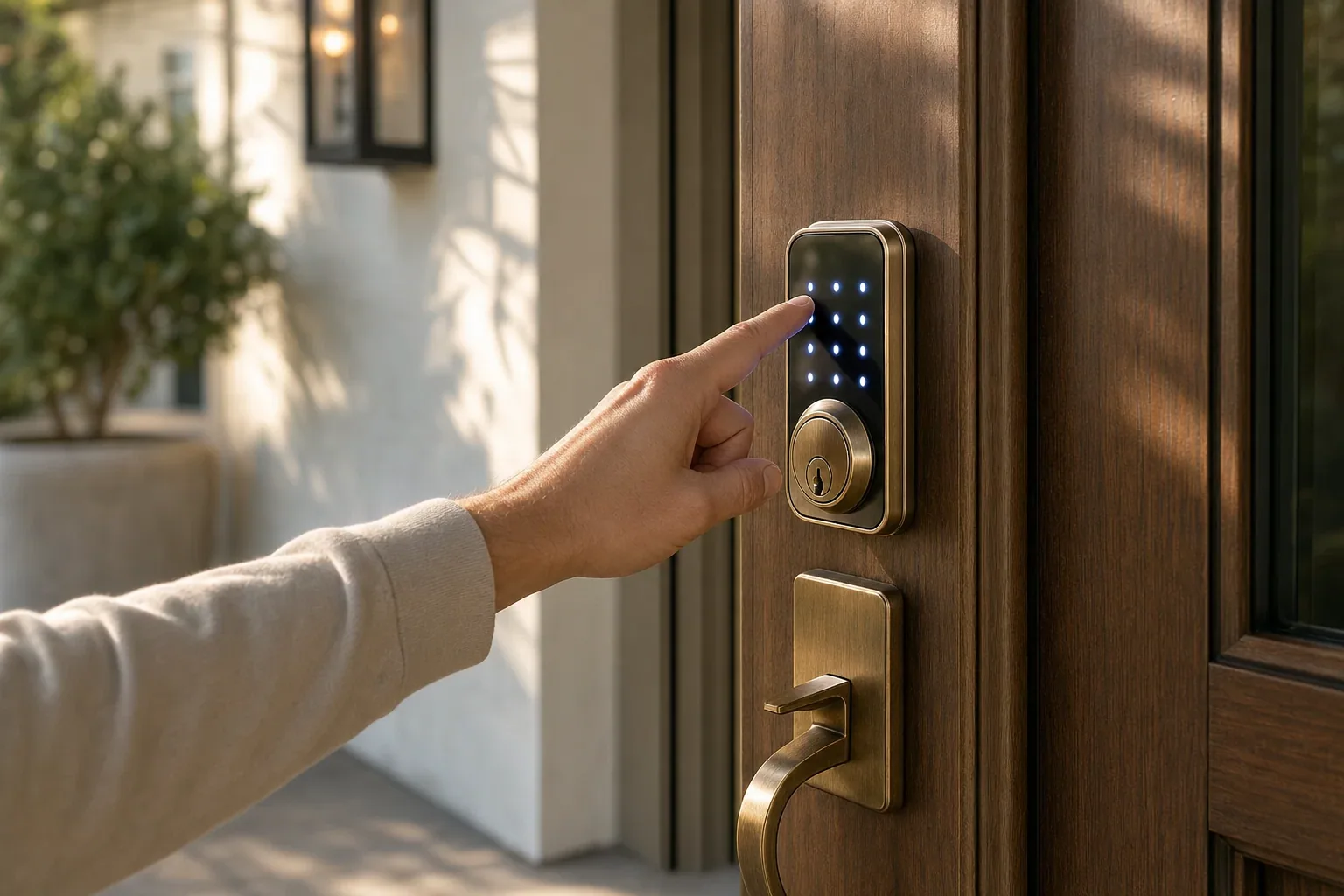
Why Homeowners Choose Keypad Locks
A keypad lock for home offers convenience that traditional keys simply cannot match. No more fumbling through your pocket for keys, no more worry about lost keys, and no more need to hide a spare under a planter where anyone can find it.
Keyless entry door locks have become increasingly popular among Bakersfield homeowners who want modern security without the hassle. Whether you're tired of carrying keys or you want to give family members and guests temporary access codes, a keypad deadbolt solves real problems.
But before you install one, you need to understand what you're dealing with and whether the job is something you can tackle yourself or when to call a professional.
Understanding Keypad Deadbolts
A keypad deadbolt is a digital door lock that replaces or supplements your traditional deadbolt. Instead of a key, you enter a numeric code on the keypad to lock and unlock your door.
Most modern keypad deadbolts come with these features:
- Battery-powered operation (typically AA or AAA batteries)
- Programmable access codes for multiple users
- Backup key override for emergencies
- Low battery alerts
- Audit logs showing who entered and when
- Weather-resistant keypads for exterior doors
Before you commit to digital door lock installation, check your door frame, door thickness, and whether you already have a standard deadbolt in place. Some keypad deadbolts retrofit over existing locks, while others require you to replace the entire lock mechanism.
Preparing for Installation
Successful keypad lock installation starts with the right preparation. Here's what you need to do before you begin:
-
Check your door specifications: Measure your door thickness (typically 1 3/8 inches for standard interior doors). Keypad deadbolts usually work on doors between 1 1/4 and 2 1/4 inches thick.
-
Locate your current deadbolt: If you already have a deadbolt, you may be able to replace it directly. If not, you'll need to drill new holes unless you choose a surface-mounted model.
-
Gather your tools: Most keypad deadbolt installations require a drill, hole saw (usually 2 1/8 inches), screwdrivers, and a measuring tape. Your lock should come with a template to mark hole locations.
-
Read the manufacturer's instructions: Every keypad deadbolt is slightly different. Don't skip the manual, even if you've installed locks before.
-
Check your lighting: You'll need good light to see what you're doing. If installing outside, plan the work during daylight hours.
How to Install a Keypad Deadbolt
The basic installation process follows these steps:
Step 1: Prepare the Door If replacing an existing deadbolt, remove the old lock completely. If installing new, use the manufacturer's template to mark the hole locations on your door. Ensure your marks are level and centered.
Step 2: Drill the Holes Drill the main deadbolt hole (usually 2 1/8 inches) through the door edge. Then drill the smaller companion hole (typically 7/8 inches) through the face of the door. Take your time and drill straight to avoid complications.
Step 3: Install the Interior Assembly Feed the lock mechanism through the main hole. Insert the inside cover plate and secure it according to the instructions. This is where attention to detail matters most.
Step 4: Attach the Exterior Keypad Secure the keypad housing to the outside of the door. Make sure it sits flush and level. Poor exterior alignment can affect keypad responsiveness and water resistance.
Step 5: Secure the Deadbolt Throw Attach the deadbolt throw mechanism on the edge of the door. This is the metal piece that actually extends into the door frame when locked.
Step 6: Test the Mechanism Before programming codes, operate the lock manually to ensure smooth, quiet operation. The deadbolt should extend and retract smoothly without sticking.
Programming Your Digital Door Lock
Once your keypad deadbolt is physically installed, you need to program it. Programming steps vary by model, but the general process is similar:
Initial Setup Insert fresh batteries (usually AA or AAA) into the lock. Most locks enter a default programming mode automatically. If yours doesn't, check the manual for the specific steps to enter programming mode.
Set Your Master Code Your first programmed code should be a strong master code that only you know. Choose something that's not easy to guess (avoid birthdays, sequential numbers, or repeating digits like 1111). Most systems allow 4 to 8 digit codes.
Add Additional Codes Once your master code is set, you can add codes for family members, trusted friends, or service providers. Each code should be unique so you can track who accessed your home and when.
Test All Codes Before considering the job complete, test every code you programmed from both inside and outside the door. Verify the door locks and unlocks consistently.
Keep Documentation Write down your master code and all programmed codes somewhere secure (not on a sticky note on your computer). Store this information separately from your home.
When to Call a Professional
While many homeowners successfully install keypad deadbolts themselves, some situations call for professional help. If you're uncertain about drilling straight holes, if your door has an unusual thickness, or if you want smart lock installation that integrates with your home automation system, it's worth bringing in an expert.
Joe's Lock and Key handles smart lock installation and digital door lock installation for homeowners throughout Bakersfield and surrounding areas. If you'd rather have a professional ensure everything is installed correctly and programmed securely, our team can handle it.
Maintenance and Troubleshooting
Your keypad lock requires minimal maintenance, but a few simple steps keep it working reliably:
Battery Care: Replace batteries annually or when you see low battery warnings. Keep spare batteries on hand for emergencies.
Keypad Cleaning: Wipe the keypad occasionally with a dry cloth to prevent dirt buildup. Avoid harsh chemicals that could damage the electronics.
Code Review: Periodically review who has access codes and remove codes for people who no longer need them. Change your master code if you suspect it's been compromised.
Common Issues: If your keypad stops responding, check batteries first. If the door won't unlock with the correct code, ensure the interior lock mechanism isn't jammed. If the deadbolt won't retract, the issue is usually mechanical, not electronic.
Keypad locks are remarkably reliable when properly installed and maintained. Most owners report years of trouble-free operation.
A Smarter Way to Secure Your Home
Keypad locks represent a simple upgrade that pays dividends in convenience and security. Whether you're the DIY type or you prefer professional installation, modern keyless entry door locks are an accessible way to modernize your home's security without extensive rewiring or smart home integration.
If installation feels overwhelming or you want to ensure your keypad deadbolt is set up perfectly, reach out to Joe's Lock and Key. We've helped countless Bakersfield homeowners with residential lock installation and can guide you through the process or handle it entirely. Call 661-588-4495 for a consultation.